

Equity
Work out the equity of hands or ranges against one another, on a board.
Titan › Equity: the share of the pot each player wins on average, according to their cards or their range, the board and the dead cards.
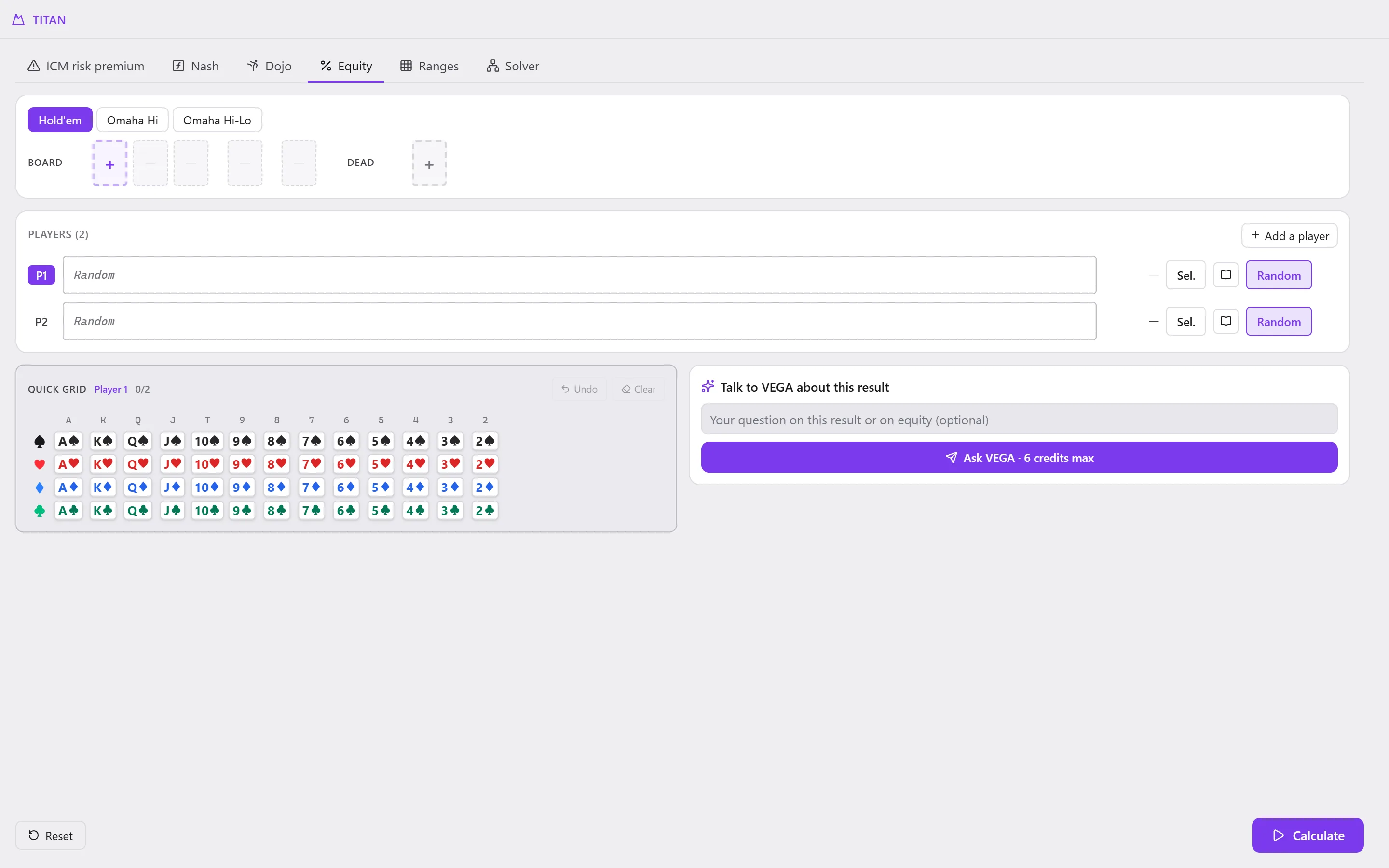
To work it out
-
Choose the game: Hold'em, Omaha Hi or Omaha Hi-Lo.
-
Board and Dead: click a + to place cards (the board fills card by card, up to the river).
-
Players: for each one, type their hand or their range in the field (for example
TT+, AKs, KQo, AsKs), or:- Sel.: select it on a grid;
- the book: the Range library (Load saved range…, Save current range…);
- Random: all the hands.
Add a player adds one; Remove this player removes it.
-
The Quick grid places specific cards for the selected player (Undo, Clear).
-
Calculate. The Results give each player's equity.
Reset starts again from an empty table.
In Omaha, dedicated selectors help you write a range: Single Range Selector… (pairs, suits,
rundowns…), Multiple Range Selector…, Import Line… (for example AA**).
From the replayer
In the replayer, the % button (Work out the equity of this moment of the hand, in Titan) opens Equity on the hand as it is on the screen: its players, its board, and the calculation straight away.