

Setting up a room
Activate a room and give it its hand history folders, for the import and the HUD.
For Opencards to import your hands from a room and display the HUD at its tables, two things are needed:
- the room writes its hand histories: some do it by themselves, others ask you to turn it on in their options;
- the room is activated in Opencards, with its hand history folders.
The first start wizard does it for the rooms you tick. After that, everything is set in Settings › Import › Rooms.
The list of rooms
Each room shows its state there: the number of folders followed, No folder, Folder not found, Room deactivated, or Closed for a room that no longer exists. Click a room to open its Configure … page.
Activating a room
On its page, the Activate … button activates or deactivates it, for the import and for the HUD. A deactivated room no longer imports anything and no longer has a HUD.
Its hand history folders
History folders tab:
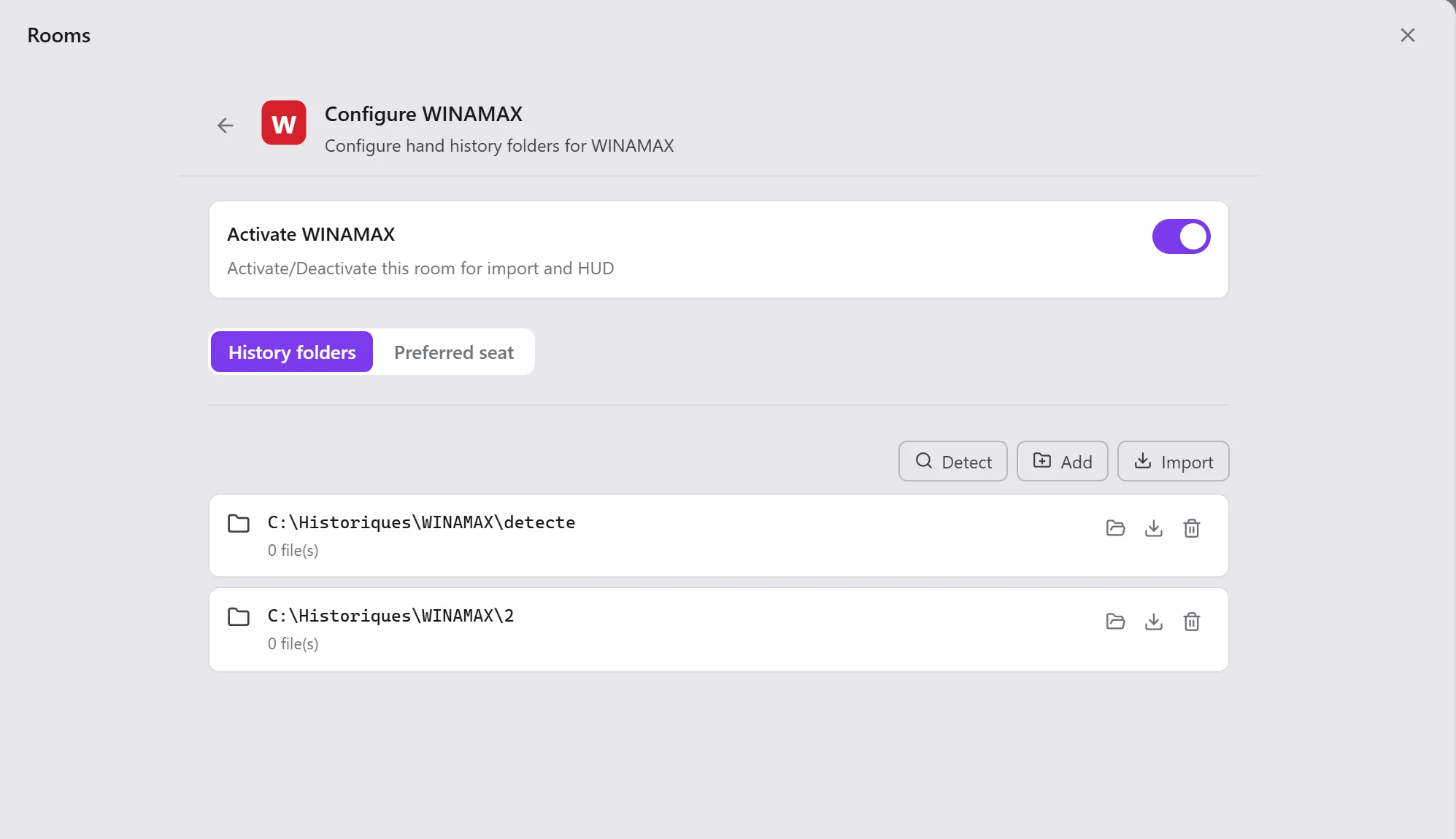
| Button | What it does |
|---|---|
| Detect | Looks for this room's folders on your computer and adds the ones it finds. |
| Add | Adds a folder you choose (another disk, another installation of the room). |
| Import | Imports all the room's followed folders. |
On a folder: Import (this folder alone), Open (in the file explorer), Remove (Opencards no longer follows it; you can always add it again). A folder that no longer exists is marked Folder not found.
Nothing is found?
The room probably does not write its hand histories yet. Turn them on in its options (see its page in Supported rooms), play a few hands, then click Detect. The page's Help button brings you back here.
The Preferred seat tab is explained in Preferred seat.
Special cases
- Betclic.fr has no folder: its hand histories come in a zip file, to import by hand (see Betclic).
- CoinPoker has none either: its hand histories come in a text file, to import by hand (see CoinPoker).
- Opencards: Opencards itself writes the hands you play in the Arena into this folder, and imports them by itself. It cannot be added or removed: Move… only changes its location.
The settings common to the rooms
At the bottom of Rooms:
- Winamax logs: writes the detailed log of the Winamax client's monitoring (the detection of its tables for
the HUD) into the
winamax.logfile, in the installation folder. Turn it on if support asks you to; - Default number of seats for IPoker unknown formats;
- Default number of seats to be used for unknown 888 formats.