

The main window
The bars, the menus and the modules of the Opencards main window.
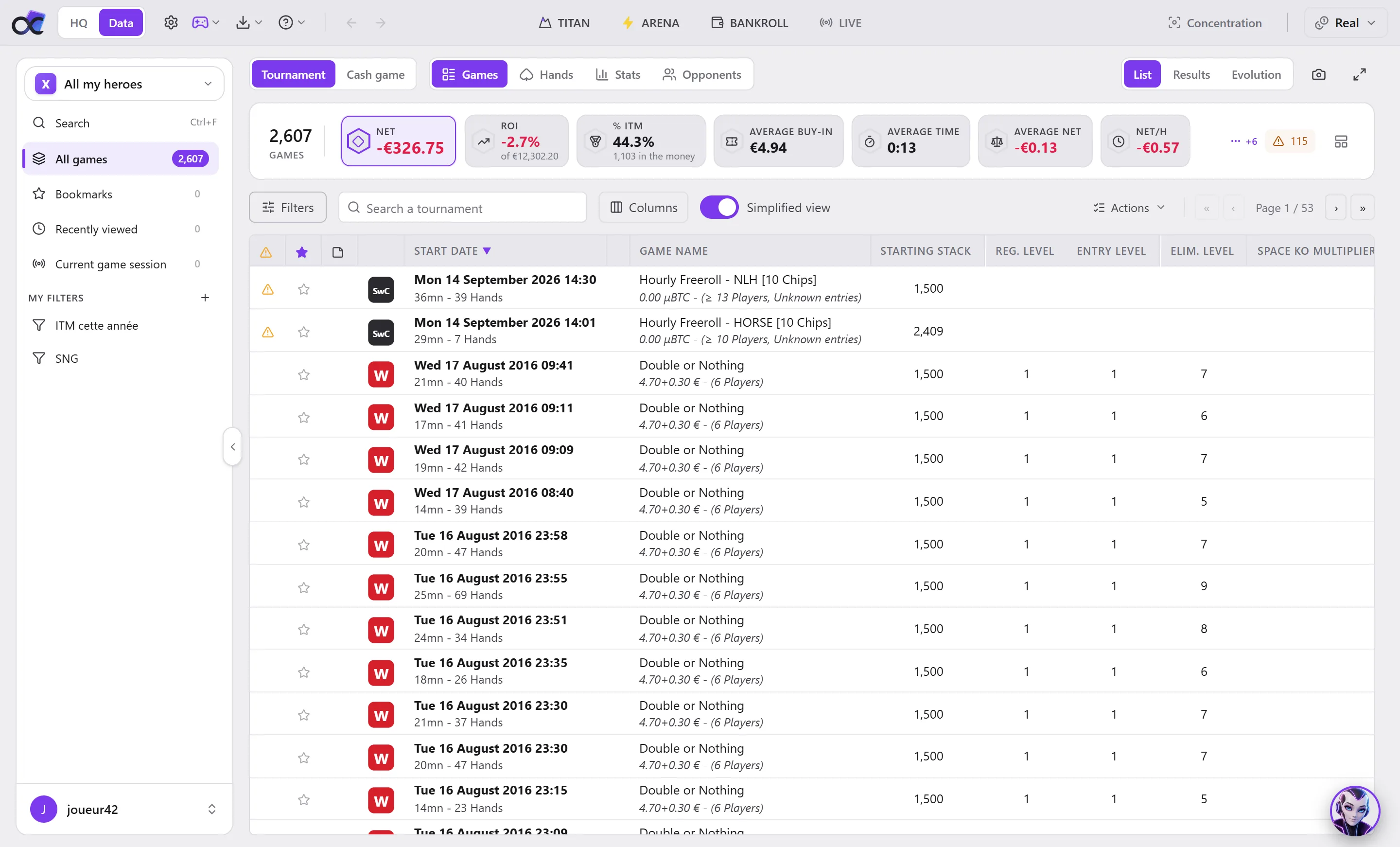
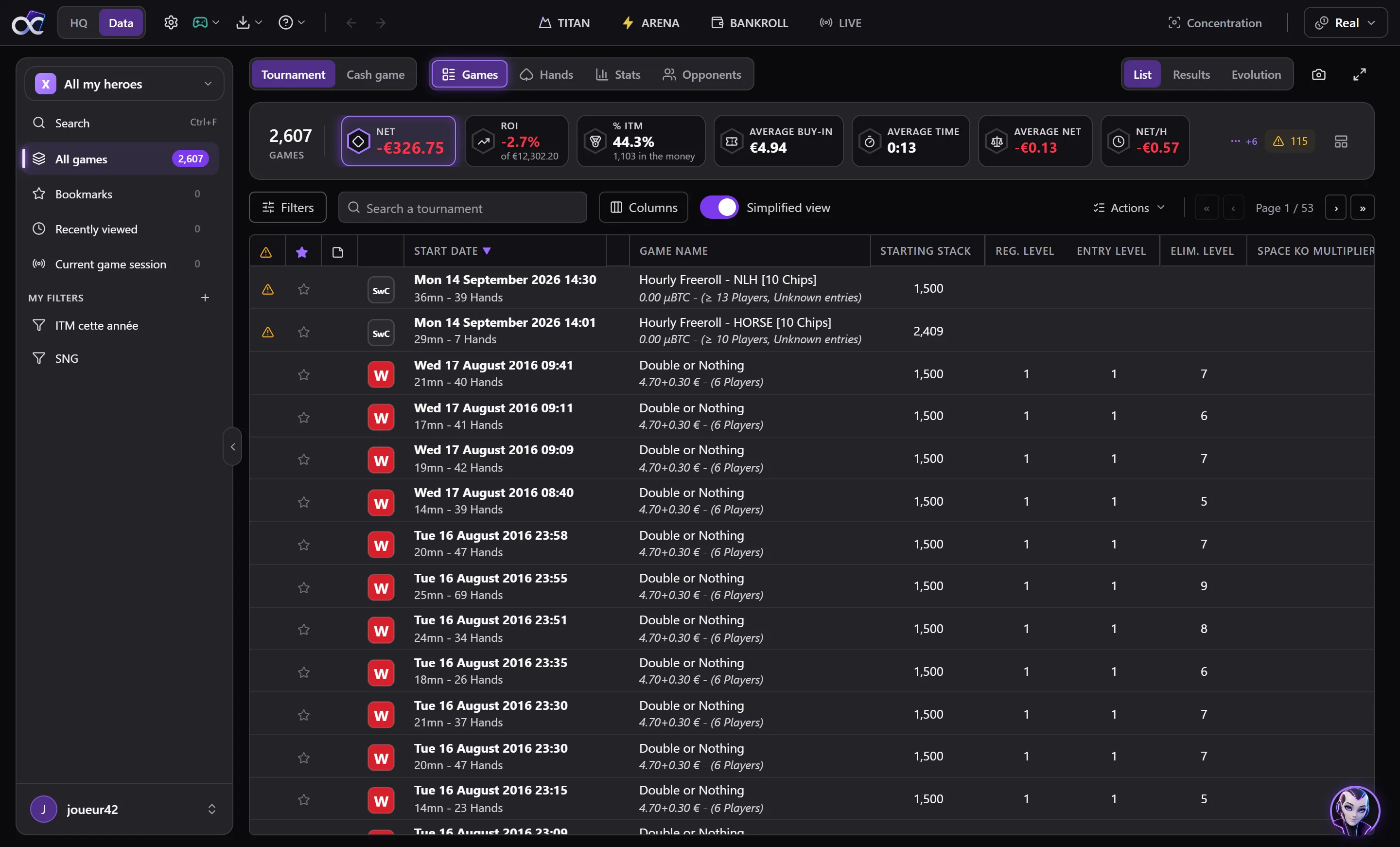
The top bar
From left to right:
| Element | What it does |
|---|---|
| HQ / Data | Switches from the HQ (your dashboard) to your data (Games, Hands, Stats, Opponents), where you had left them. |
| Gear wheel | Opens the Settings. |
| HUD menu (gamepad) | Start HUD or Stop HUD, Edit a HUD, My HUDs..., Manage profiles..., Edit a profile. The icon is animated while the HUD is running. |
| Import menu (down arrow) | Start import or Stop import, Import folders..., Import files..., Reimport the processed files..., Import logs..., Import options... See Importing your hands. |
| Help menu (question mark) | Guide (the sections of this manual), Forum (the Opencards forum, forum.opencards.net, on its categories), FAQ, News, Opencards Support, Remote assistance... |
| Arrows | Previous filter, Next filter: retrace your steps, as in a browser. |
| TITAN | Opens Titan, the tournament tools, in its own window. |
| ARENA | Opens the Arena. |
| BANKROLL | Opens the Bankroll in its own window. |
| LIVE | Opens the Running session window; red while it is open. |
| Concentration | The Concentration mode, if it is displayed. |
| Real | The currency displayed: Real, Points or Fun. |
On a narrow window, TITAN, ARENA, BANKROLL and LIVE show only their icon: their name is in the tooltip.
The row of modules
Below the top bar, when you are in Data:
- Tournament / Cash game: the type of games displayed;
- the four modules: Games, Hands, Stats, Opponents;
- on the right, for Games and Hands, the List, Results and Evolution views;
- the camera, Screenshot: copies the module displayed to the clipboard, and to a file if you choose one;
- Show full screen: the module takes up the whole window; Esc leaves it.
The sidebar
On the left: the player shown, Search, the ready-made entries (All games, Bookmarks, Recently viewed, Current game session) and My filters. Everything is explained in Player and filters. At the bottom, your account: My account, My replays, Log out, Quit. The handle on its edge folds it into a column of icons.
The status bar
At the very bottom:
- your plan: on Free, what the Free limits (see Free and plans), otherwise the status of your licence; a click opens the plans or your account;
- your VEGA credits for the month, with a gauge;
- the running Import and its progress: a click opens the Import logs;
- the number of rows selected in the list displayed;
- on the right, the Cloud: a click opens the cloud sync.
A warning is added there when needed: HUD stopped: your hands are not imported by themselves (a click starts it again), or a problem connecting to the Opencards server.
VEGA
VEGA's portrait, at the bottom right, opens the assistant in a panel above the module. See VEGA.