

Taking over your hands
Take over your hands from PokerTracker 4, Holdem Manager 3 or Xeester, without starting from scratch.
Opencards can take over three databases: that of PokerTracker 4, that of Holdem Manager 3 and that of Xeester. It only reads them: these programs and their databases do not change.
From PokerTracker 4 or Holdem Manager 3
When Opencards finds one of them on your computer, it offers it to you at start-up:
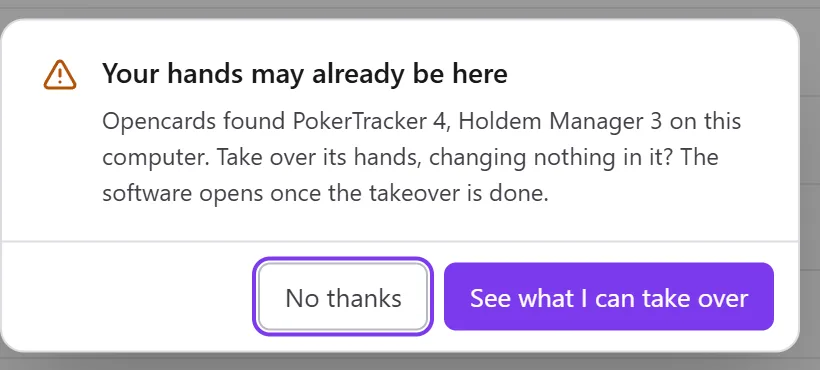
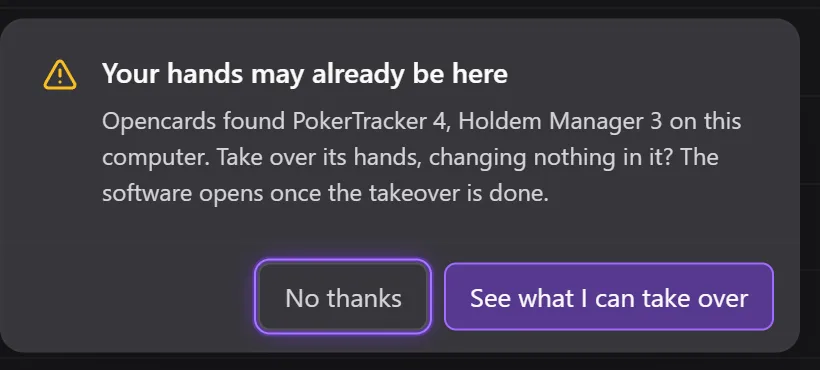
- See what I can take over opens the takeover page;
- No thanks closes the question.
The same page is always in Settings › Maintenance › Take over a database.
To take over
- On the Take over a database page, each program found shows its number of hands, an estimated duration and its rooms. A room that Opencards does not import is flagged as such.
- CoinPoker hands do not say who you are: enter your CoinPoker nickname, otherwise they are left aside.
- Click Take over, then Create the database and take over.
- Opencards closes and reopens on a new database, created for these hands. The takeover runs at start-up, and the software opens once it is finished. Your current database does not change: you find it in Settings › Maintenance › Databases.
During the takeover: Pause, Go on, Stop (the hands already imported stay in your database; a new takeover skips them without doubling them). Skip opens the software: the takeover will go on at the next launch. It also waits by itself when you play, when another import is running, or when less than 500 MB is left on the disk.
At the end, What each room became gives, room by room, the hands In the database, Added and Left aside. The details are in the import log.
Their HUDs
See the HUDs of … takes over that program's HUDs into My HUDs, with the number of stats taken over and left.
You can also import a PokerTracker 4 HUD (.pt4hud) at any time: see
My HUDs and stat profiles.
What is not taken over
- these programs' custom statistics and automatic notes;
- the rooms that Opencards does not import;
- the hands where you were not dealt cards.
Tournament results only come from what these programs keep: a tournament without an imported summary can be left without a place or winnings.
Holdem Manager 3 moves your files
With its MoveProcessedFiles option, Holdem Manager 3 moves your rooms' files as soon as it has imported them. As long as it stays on, Opencards will no longer see them arrive in your rooms' folders: turn it off if you switch to Opencards.
From Xeester
Opencards finds your Xeester database on the computer and offers to import it: at the first start (Import my database, or Start with an empty database), in the wizard (My Xeester database), and at any time in Settings › Maintenance › Databases › Import my Xeester database.
- Your Xeester database is copied into a new database; the open database stays intact. Xeester and its database are not changed: you can keep using it.
- Opencards restarts to make the copy (or closes: reopen it, and the copy starts), then the wizard picks up on the new database. Do not close Opencards during the copy.
- Xeester must be closed: otherwise Opencards says so; close Xeester then click Try again.
- You need space on the disk: if there is not enough, Opencards says how much to free up and changes nothing.